 Loading... Please wait...
Free Info - Transcription Software
How to Use Dragon as a Transcription Tool
Posted on 18th Feb 2016

How to Use Dragon as a Transcription Tool
Used by thousands of individuals and businesses alike, Dragon’s powerful transcription capabilities mean you can capture your thoughts using a digital voice recorder for later transcription. Dragon turns recorded audio files into transcribed documents-instantly-so you no longer need to transcribe from scratch or rely on outside services. You can even transcribe another single speaker’s voice from pre-recorded audio files or from podcasts, without having the speaker present to read a passage for training.
Here’s how to transcribe using Dragon:
- Select a digital recorder that meets your needs; supported audio file formats include mp4, wav, aif, aiff, m4v, and m4a. You can also use the Dragon Recorder app.
- You will need to add this recorder in your user profile; by adding it to your existing profile as another input source, you benefit from your profile’s refinements and personal preferences.
- As you record, the recorder’s microphone should be placed consistently, about 3-4 inches from your mouth and try not to move the recorder as you speak. Touching your thumb to your jaw can help, or opt to use a headset microphone.
- Similar to using Dragon on your desktop, as you record speak in your natural voice; think about what you want to say and speak in long, natural utterances for optimal recognition accuracy.
- You may also want to use punctuation, such as “comma,” “new paragraph,” etc. This will reduce edits after you transcribe your text.
Important note: Dragon is not designed for use with multiple speakers or to transcribe lectures. The software does, however, support the voice writing transcription technique, where the transcriptionist repeats or "parrots" audio from other speakers.
Rees Electronics - 2140 Westwood Blvd, #224, Los Angeles, CA 90025
Tel: 310.475.0859
www.ReesElectronics.com
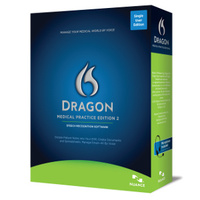
Dragon Medical Practice Edition 2 for Medical Specialties
Dragon Medical Practice Edition 2 Transcribes All Medical Specialties' Terminology Dragon Medical Practice Edition 2 is engineered to recognize even the most complex medical terminology used in over 90 specialty and subspecialty medical practices. Allergy and Immunology Cardiology Chiropractic Medicine Dermatology Gastroenterology Gynecology Internal Medicine Neurology Oncology Ophthalmology Orthopedics Pediatrics Physical Medicine and Rehabilitation Plastic Surgery Podiatry Psychiatry Psychology Radiology Special Surgery Urology Technology every physician needs for an optimized workflow Dragon Medical Practice Edition 2 transcribes speech [...]