 Loading... Please wait...
Free Info - Digital Transcription
Simply Working Smarter with Digital Dictation
Posted on 15th Jun 2016
Simply Working Smarter with Digital Dictation
Visual Job Overview
The visual workflow management and job overview enables you to organize and plan your workload more efficiently. Thanks to visual workflow management the transcription of priority documents in your preferred order is managed as straightforward as possible. Multiple sort/filter options allow an individual organization of files.
New Job Alarm
The alarm sound notifies the recipient of new jobs coming in, in order to allow an immediate start of the transcription.
Access to Job Information
Relevant data such as length, author name, keywords and priority status are accessible throughout the entire transcription process by means of a dictation properties display.
Worklist / Workflow
Due to the familiar folder view, which is similar to Windows Explorer, the time needed to get accustomed to SpeechExec Pro can be kept to a minimum. A configurable worklist enables the user to sort, hide and show columns, etc., while the job status indicator shows whether a dictation is pending, in progress or finished.
Attach a Document
SpeechExec Pro Transcribe offers the capability to attach a document directly to a dictation. This supports document archiving and retrieval.
Versatile Player
Various features, as for instance a graphical position indicator, an audio volume meter and audible scan function facilitate the transcription process. Speed control, DSS Pro / DSS / WAV / WMA / MP3 playback and automatic backspace provide first-class reproduction of your dictations.
Automatic File Transfer and Updates
Dictation files are transferred automatically using the network, email or FTP. Automatic updates via internet as well as the possibility to define default settings provide highly convenient administration.
Digital Speech Standard (.dss)
The .dss file format is the international standard for professional speech processing. Offering outstanding audio quality for recorded voice, .dss files allow a high compression rate, reduce file size, network traffic and required storage capacity. The format also allows additional information, such as client/patient name, document type to be stored in the file header, further facilitating file organization.
Lightweight Design of Earphones
The durable, lightweight quality enhances comfort for extended wearing.
Under Chin Style
Designed for n under-the-chin fit for better comfort.
3 Meter / 10-Foot Cable
The 3 meter / 10-foot cable gives you the freedom to move around your work area without having to remove your headset.
Ergonomically Designed Foot Control
The new Foot Control was developed in close cooperation with hospital ergonomists and professional end user in order to guarantee a smooth transcription process with minimal physical strain.
Configurable to Individual Needs
The pedal functions of the Foot Control can easily be adopted to one's personal preferences.
Rees Electronics - 2140 Westwood Blvd, #224, Los Angeles, CA 90025
Tel: 310.475.0859
www.ReesElectronics.com
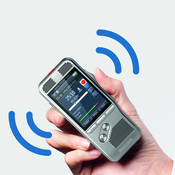
Professional Dictation Solutions and Voice Recorders for Journalists
Professional Dictation Solutions and Voice Recorders for Journalists Philips dictation recorders and software are perfectly tailored for the journalism industry. Whether you are a reporter, editor, novel writer or work in PR, Philips has the ideal solution for you. Digital dictation recorders offer by far the most convinient and quickest way of recprding lots of information [...]

Converting Your Dictations Into Finished Documents Has Never Been Faster
Converting Your Dictations Into Finished Documents Has Never Been Faster Digital dictation solutions from Philips offer a host of advantages over analogue cassette-based devices and can be seamlessly integrated into your existing company workflows. The main advantages of switching over to digital dictation include:Greater efficiency in the organization of your work process Sending of dictation jobs via [...]
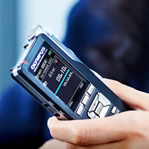
Go Digital – Dictation And Transcription Made Easy
Go Digital – Dictation And Transcription Made Easy! It can be said with certainty that dictation and transcription as we know it has been transformed in the last decade. We find ourselves permanently in “contact me” mode via cell phone or email. Access to the inetrnet is ever easier and soft VoIPs (voice over internet protocol) [...]
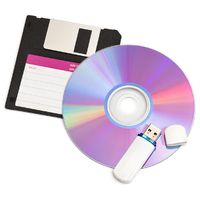
How to Transfer Digital Files to Transcriptionists
How to Transfer Digital Files to Transcriptionists Digital files may be sent to transcriptionists in a number of ways: Automatically If both the person dictating and the transcriber are in the same office or on the same network, the files will be sent instantly to the transcriptionists (where they can both “see” the same shared or common folder [...]
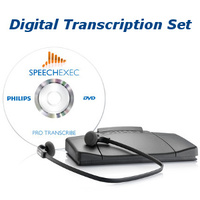
Transcription Equipment Assists in Next Step of Digital Dictation
Transcription Equipment Assists in Next Step of Digital Dictation So, that big meeting or client interaction has been documented with a digital voice recorder. The next step, of course, is to convert the audio file into text using transcription equipment and software, such as Philips 7277 SpeechExec Pro Transcription Set. The Philips 7277 offers all any professional or [...]