 Loading... Please wait...
Advantages of Switching From Analog to Digital Dictation
Posted on 17th Aug 2015
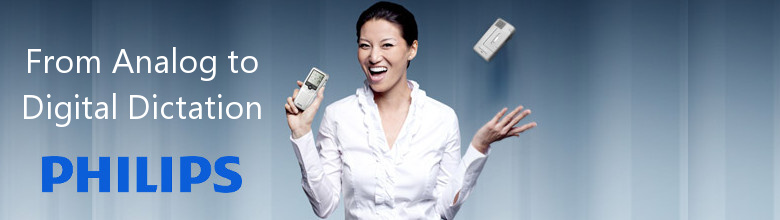
Switching from Analog to Digital Dictation System Has Lots of Great Advantages
Prioritization of Urgent Jobs
The transcription team can clearly see which jobs are urgent and require immediate transcription by consulting their electronic jobs list. A dictation can be easily prioritized in the jobs list with just the click of a button on the dictation device.
Sending of Dictation Jobs via Your PC Network
Dictation files can be sent directly from the creator's PC to the transcription team – either via the LAN (office network) or email – and distributed among several different typists in advance. Dictations can also be sent when you are out of the office, ensuring maximum flexibility.
Cassettes No Longer Required
With digital dictation, all information is available in electronic format and clearly set out in a simple jobs list. Electronic backups can be make for all digital dictations, making lost or damaged tapes a thing of the past.
Optimal Sound Quality
The quality of digital sound files is excellent for transcription, minimizing errors and allowing documents to be processes more quickly. The standard headset and foot control also mean that the transcription team can continue to use the same working process that they use for analog files to transcribe the new digital sound files.
Generation of Job Lists for Your Transcription Team
Details for all dictations are available in electronic format and displayed in a clear and simple jobs list. The jobs list displays all new and ongoing jobs for transcription team. Information such as the date and length of dictation allow the transcription team to start and complete jobs either in chronological order or based on the amount of time available to them, thus ensuring maximum time efficiency. None of this information is available when a cassette is sent to typist in the mail.
Option to use Speech Recognition Technology
The digital products are compatible with Nuance speech recognition solutions, which make it possible for you to convert your spoken words into text in seconds. The system improves with each dictation and adapts to the way you speak – for guaranteed optimal results.
Simple and Secure Archiving
The digital dictation files are automatically saved in archive folders, so that you can access them at a later date. Th files take up very little memory space - and you won't have to find room on the shelves and in the filing cabinets of your office.
Confidential Data Kept Secure
Confidential and sensitive data can be protected by encrypted password to prevent unauthorized access and can be saved in a folder specifically for confidential data.
Greater Efficiency in the Organization of Your Work Process
All data are saved electronically on your PC and can be made available for processing immediately via your network. Dictations are automatically distributed, making your standard work processes quicker and highly efficient.
Rees Electronics - 2140 Westwood Blvd, #224, Los Angeles, CA 90025
Tel: 310.475.0859
www.ReesElectronics.com